
Authentication (User Login)
This document covers how users authenticate to the Jarvis UI — browser login, session management, roles, and provider setup.
For how Jarvis authenticates against a protected Alertmanager (service-to-service), see authentication-alertmanager.md.
Jarvis supports three authentication modes, controlled by the JARVIS_AUTH_PROVIDER environment variable.
| Mode | Description |
|---|---|
none | No login required. All write actions are publicly accessible. Default. |
internal | Local user accounts with bcrypt passwords. A first-run wizard creates the admin account. |
oidc | Delegate login to an external OIDC provider (Keycloak, Authentik, Dex, etc.). |
Quick Start
No authentication (default)
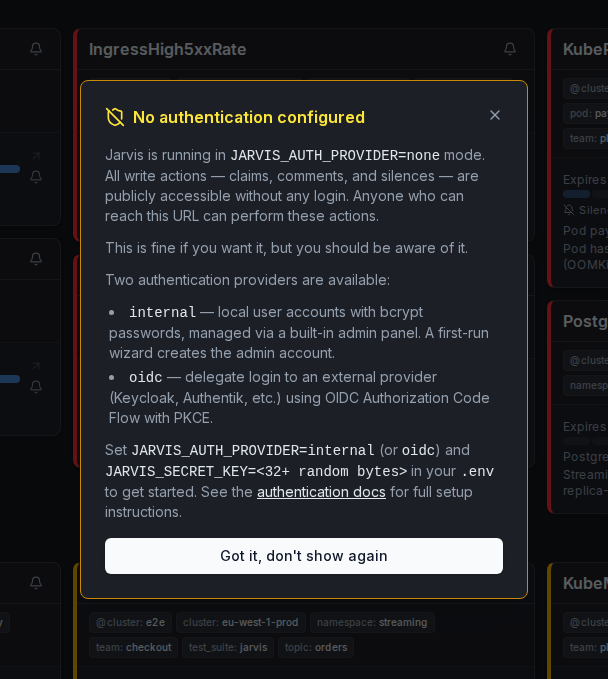
JARVIS_AUTH_PROVIDER=noneAnyone who can reach Jarvis can read alerts and perform write actions (claims, comments, silences). Suitable for private networks with no external access. Jarvis logs a warning at startup in this mode; switch to internal or oidc (with JARVIS_AUTH_MODE=full_protect to also protect reads) as soon as access is not restricted otherwise.
On first load, Jarvis shows a one-time notice explaining that authentication is not configured:
Internal accounts
JARVIS_AUTH_PROVIDER=internal
JARVIS_SECRET_KEY=<min 32 random bytes>
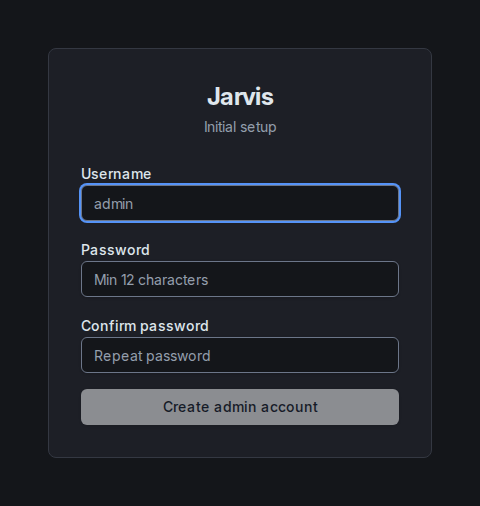
On first access, Jarvis redirects to /setup where you create the initial admin account. To stop anyone else from claiming a fresh instance first, also set JARVIS_SETUP_TOKEN (any secret string); the setup page then asks for it. Additional users are managed under Administration in the user menu.
Generate a secret key:
openssl rand -hex 32OIDC (Keycloak, Authentik, etc.)
JARVIS_AUTH_PROVIDER=oidc
JARVIS_SECRET_KEY=<min 32 random bytes>
JARVIS_AUTH_OIDC_ISSUER=https://keycloak.example.com/realms/myrealm
JARVIS_AUTH_OIDC_CLIENT_ID=jarvis
JARVIS_AUTH_OIDC_CLIENT_SECRET=<client-secret>
JARVIS_AUTH_OIDC_REDIRECT_URL=https://jarvis.example.com/auth/oidc/callback
JARVIS_AUTH_OIDC_SCOPES=openid,profile,email
Protection Level (JARVIS_AUTH_MODE)
When JARVIS_AUTH_PROVIDER is internal or oidc, JARVIS_AUTH_MODE determines how strictly unauthenticated access is blocked.
| Value | Behaviour |
|---|---|
write_protect | (default) Unauthenticated users can view alerts and silences read-only. Write operations — creating/deleting comments, claims, and silences — require a valid session. A Login button appears in the header. |
full_protect | All API routes and the UI require authentication. Unauthenticated users are shown a full-screen login page and cannot access any alert data until they sign in. |
JARVIS_AUTH_MODE is ignored (forced to none) when JARVIS_AUTH_PROVIDER=none.
Choosing a mode:
- Use
write_protectfor internal teams where read access to alerts is acceptable without login (e.g. NOC screens, ops dashboards). - Use
full_protectwhen alert data must not be visible to anyone who can reach Jarvis without logging in. Jarvis is an internal tool and still belongs behind a VPN or an authenticating proxy, see Security model.
Environment Variables
The full reference (defaults, which are required per provider, descriptions) is in Configuration → User authentication. JARVIS_OIDC_GROUPS_CLAIM / JARVIS_OIDC_ADMIN_VALUE are explained further under Role Mapping below.
Internal Provider — First-Run Wizard
When JARVIS_AUTH_PROVIDER=internal and no admin account exists in the database, Jarvis redirects every request to /setup.
- Open Jarvis in the browser — you land on the setup page automatically.
- Enter a username and password (min 12 characters). If
JARVIS_SETUP_TOKENis set, the page also asks for that token (a wrong one is rejected with401). - Submit — the admin account is created and you are redirected to the main view.
The first admin is created atomically: if two requests arrive at once, exactly one wins. The setup endpoint is disabled once at least one user exists in the database.
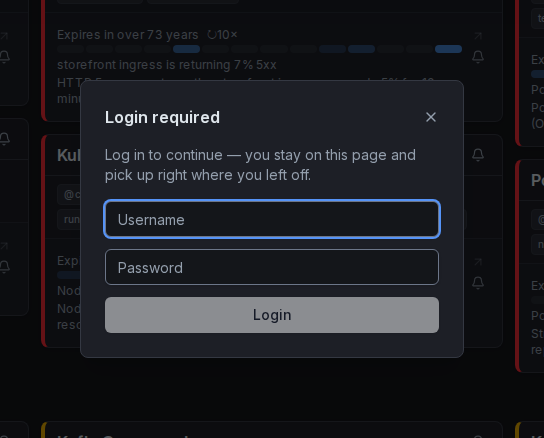
After setup, users log in via the login modal (triggered by the Login button in the header):
Logging in never costs you your place
Whenever something needs a session, the login modal opens on top of the page you are on and the interrupted action carries on once you are logged in — nothing navigates, nothing is reset. This holds for every write (silences, claims, comments, templates, expiring silences):
- Not logged in yet: buttons stay usable. In the silence form, Preview works without a session; the login is asked at Create, on top of the finished form, and the silence is created straight after.
- Session expired while you worked: if the session token ran out unnoticed, the first write that comes back
401opens the modal (titled Session expired) and is replayed automatically after you log in. full_protect: a session that expires while the app is open keeps the page mounted and shows a modal you cannot dismiss; the full-page login screen only appears when you were never logged in.
A modal you dismiss simply drops the pending action.
Administration
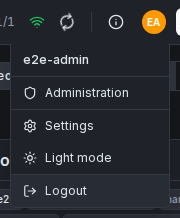
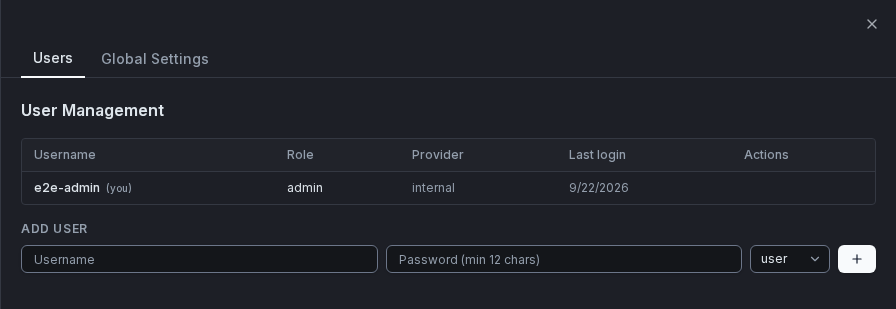
Admins manage users under Administration in the user menu (API: /api/v1/admin/users):
- Create new users (role:
useroradmin) - Reset passwords
- Delete users
The panel is only accessible to users with the admin role. Open it from the user menu in the header (top right corner).
OIDC Provider
Jarvis uses the Authorization Code Flow with PKCE. No client-side secrets are exposed to the browser. Each login also carries a one-time nonce that the ID token must echo back, so a token issued for another login cannot be replayed into this one, and an ID token whose email_verified claim is present but not true (false, "false", anything else) does not block the login: the unverified e-mail is not adopted at that login (never used as the username, which falls back to preferred_username, then sub; an address stored earlier for the same account is left untouched), and the identity hangs on sub. This keeps providers such as Keycloak working when "Trust Email" is off. The token exchange with the provider times out after 10 seconds. Neither the ID token nor its claim values are written to the log.
The login modal shows a single Login with SSO button:
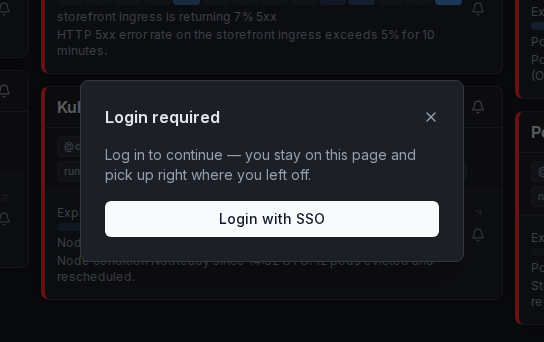
From the modal the SSO login runs in a popup window, so the page underneath — a half-filled silence form, an open alert — stays exactly as it is; as soon as the login succeeds the popup is closed for you and the interrupted action completes. If the browser blocks the popup, Jarvis falls back to a full-page redirect that brings you back to the page you left (/auth/oidc/start?return_to=<in-app path>; only same-origin in-app paths are honoured, anything else lands on /). The full-page login screen (full_protect) uses the same return_to, so a deep link with filters survives the round trip.
Flow
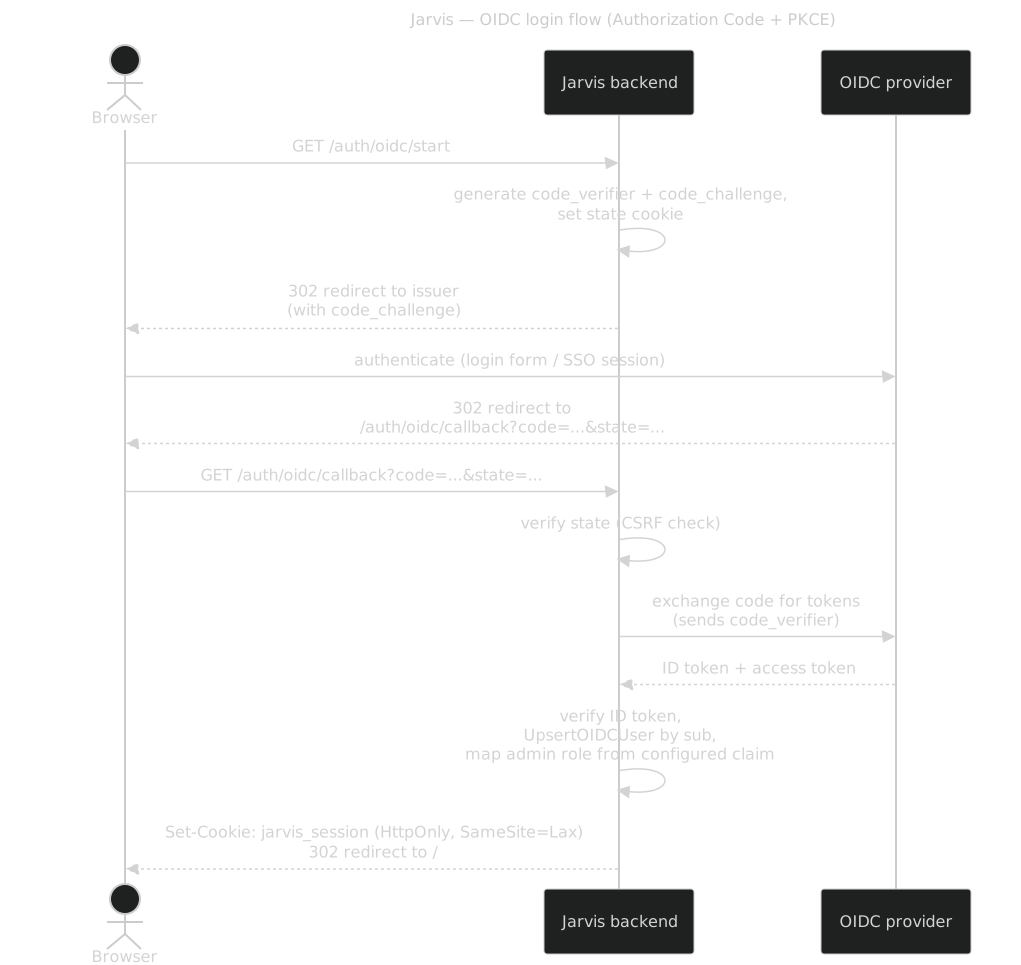
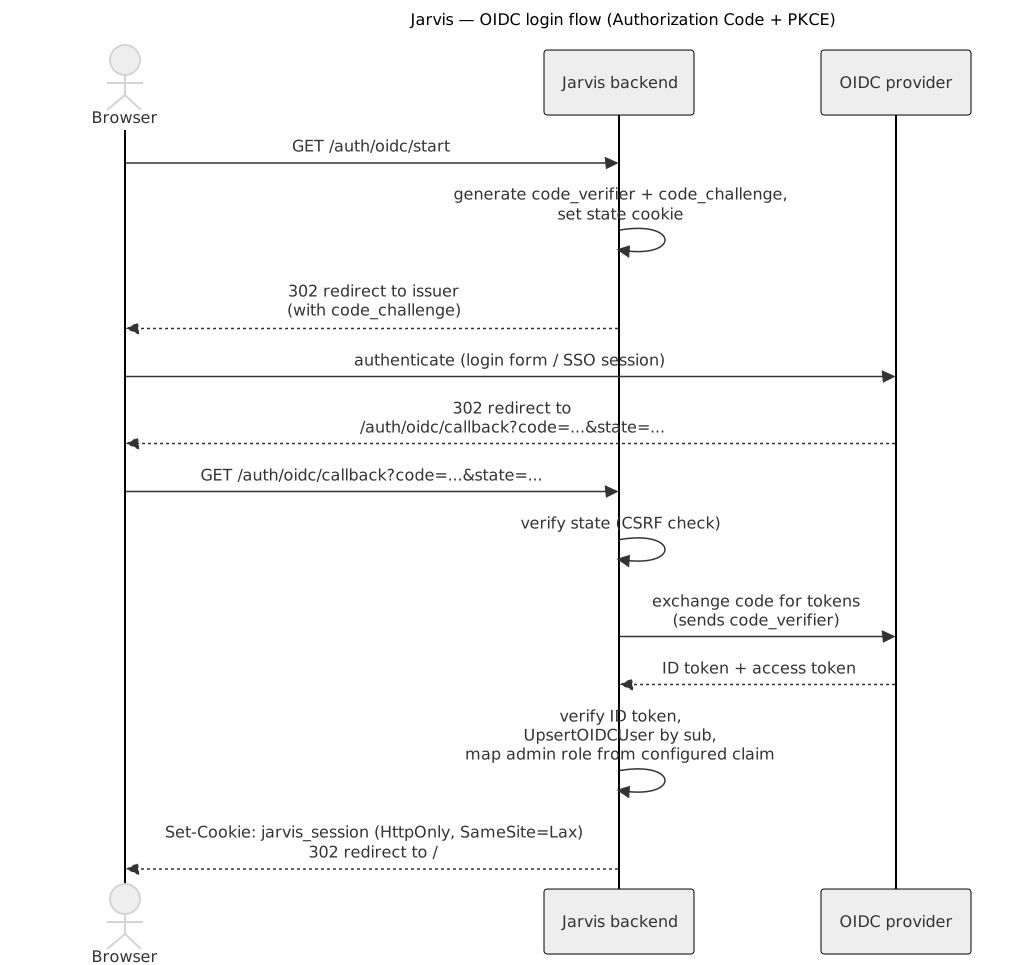
(source: docs/diagrams/oidc-login-flow.mmd, re-render via make diagrams)
Keycloak Setup
- Create a new client in your realm with:
- Client ID:
jarvis - Client authentication: on (confidential client)
- Valid redirect URIs:
https://jarvis.example.com/auth/oidc/callback
- Client ID:
- Copy the client secret from the Credentials tab.
- Set
JARVIS_AUTH_OIDC_ISSUER=https://keycloak.example.com/realms/<realm>.
Authentik Setup
- Create an OAuth2/OpenID Provider with:
- Authorization flow: default (implicit or explicit)
- Redirect URIs:
https://jarvis.example.com/auth/oidc/callback
- Create an Application linked to that provider.
- Set
JARVIS_AUTH_OIDC_ISSUER=https://authentik.example.com/application/o/<slug>/.
Role Mapping
OIDC users get the user role by default. There are two ways to grant admin rights.
From a token claim. Set both variables and Jarvis reads the role straight from the ID token on every login:
JARVIS_OIDC_GROUPS_CLAIM=groups
JARVIS_OIDC_ADMIN_VALUE=jarvis-admins
The claim may be a single string or a list — Keycloak's groups and Cognito's cognito:groups both work. A user whose claim contains the configured group becomes admin, everyone else stays user.
If several groups should grant admin, for example because two directories are federated through one identity provider, list them comma-separated; membership in any one is enough:
JARVIS_OIDC_ADMIN_VALUE=admin_a,admin_bWhitespace around entries is ignored. A group name that itself contains a comma, such as a full LDAP DN, cannot be listed this way. Because this is evaluated at each login, revoking the group in the identity provider takes effect the next time the user signs in.
Seeing your groups. With JARVIS_OIDC_GROUPS_CLAIM set, the Account panel (your name in the user menu) lists your name, role and the groups the identity provider reported, plus when that was. Jarvis stores the groups at each login, so a change in the identity provider shows up only after you sign in again — the sessions below last 24 hours. If someone reports a missing alert, ask them for this list.
Upgrading from 1.x:
JARVIS_OIDC_ADMIN_CLAIMwas renamed toJARVIS_OIDC_GROUPS_CLAIM, with no alias. The old variable is ignored, so rename it before upgrading or every SSO user becomes a plainuserat the next login.
Not by hand. An SSO user's role is set from the token at every login, so a promotion made in the admin panel lasts only until that user signs in again. Without a claim mapping every SSO user is a plain user.
Sessions
Sessions are stored as signed JWT cookies:
| Property | Value |
|---|---|
| Cookie name | jarvis_session |
| TTL | 24 hours |
| HttpOnly | yes (not accessible via JavaScript) |
| SameSite | Lax |
| Secure | yes when served over HTTPS (detected via X-Forwarded-Proto) |
The token is accepted only if it is signed with HS256, carries an expiry, and has issuer and audience jarvis; anything else (another algorithm, alg=none, no exp, a foreign issuer or audience) is refused with 401.
The cookie only identifies the account; Jarvis checks it against the user database on every request (cached for up to 30 seconds per pod). So:
- Logout is final. It invalidates the session cookie everywhere, on every replica and across restarts, and also every other session of the same account (every browser and device is signed out). It also closes the open live connections of that account.
- Deleting a user ends their sessions at once on the pod that handled the deletion and within about 30 seconds on other replicas.
- A role change applies without a new login — the role comes from the database, not from the cookie. A demoted admin loses the admin pages within about 30 seconds on other replicas, immediately on the pod that handled the change.
- If the database is unreachable and a user's session has not been checked recently, requests get
503instead of401, so nobody is logged out by an outage.
User Settings Storage
With an auth provider active, a signed-in user's Settings (theme, default view, saved filters, etc. — see Features → User Settings) are stored server-side against the account and follow them across devices. Without an auth provider (JARVIS_AUTH_PROVIDER unset) — or while signed out in write_protect mode — settings stay in that browser's localStorage only. Signing in for the first time on a device copies any local settings to the account once; after that the account always wins. Signing out falls back to the browser's own settings without touching the account's.
Roles
| Role | Capabilities |
|---|---|
user | Read alerts, create and release claims, create and delete comments (own comments only), create, extend, edit and expire silences, manage silence templates |
admin | All user capabilities + manage users under Administration |
Kubernetes / Helm
auth:
  provider: internal    # none | internal | oidc
  mode: ""              # write_protect (default) | full_protect — ignored when provider=none
  secretKey: ""         # use existingSecret in production
  setupToken: ""        # optional: internal only, required by the first-run /setup page
  existingSecret: ""    # K8s Secret containing secret-key (and oidc-client-secret, setup-token)
  existingSecretKeys:
    secretKey: secret-key
    oidcClientSecret: oidc-client-secret
    setupToken: setup-token
  oidc:
    issuer: ""
    clientId: ""
    clientSecret: ""    # stored in the auth Secret
    redirectUrl: ""
    scopes: "openid,profile,email"
Internal auth with chart-managed secret
auth:
  provider: internal
  secretKey: "$(openssl rand -hex 32)"
Internal auth with external secret
kubectl create secret generic jarvis-auth \
--from-literal=secret-key=$(openssl rand -hex 32)auth:
provider: internal
existingSecret: jarvis-authOIDC with external secret
kubectl create secret generic jarvis-auth \
  --from-literal=secret-key=$(openssl rand -hex 32) \
--from-literal=oidc-client-secret=<your-client-secret>auth:
provider: oidc
existingSecret: jarvis-auth
oidc:
issuer: https://keycloak.example.com/realms/myrealm
clientId: jarvis
redirectUrl: https://jarvis.example.com/auth/oidc/callbackFor a full values reference see charts/jarvis/README.md.
Security Notes
JARVIS_SECRET_KEYis never written to logs. Use at least 32 random bytes.- OIDC client secret is stored in a Kubernetes Secret, not in the ConfigMap.
- The
/setupendpoint is automatically disabled once any user account exists. - All cookies are
HttpOnly— the session token is not readable by JavaScript. SameSite=Laxprevents CSRF on cross-site form submissions.- The Administration panel and its API (
/api/v1/admin/*) require theadminrole and are protected byRequireAdminmiddleware.
For vulnerability reporting and supported versions, see the Security Policy.